Visualize DNN
In this tutorial, we are going to visualize the preferred features for three output units of AlexNet (i.e., ostrich, peacock, and flamingo). And three visualization approaches will be demonstrated (i.e., top stimulus, saliency map, and optimal stimulus).
Top stimulus
We can find top3 images with the highest activation for a specific unit from a large image collection.
dnn_topstim -net AlexNet -top 3 -stim all_5000scenes.stim.csv -layer fc3 -chn 10 85 131 -cuda -out .
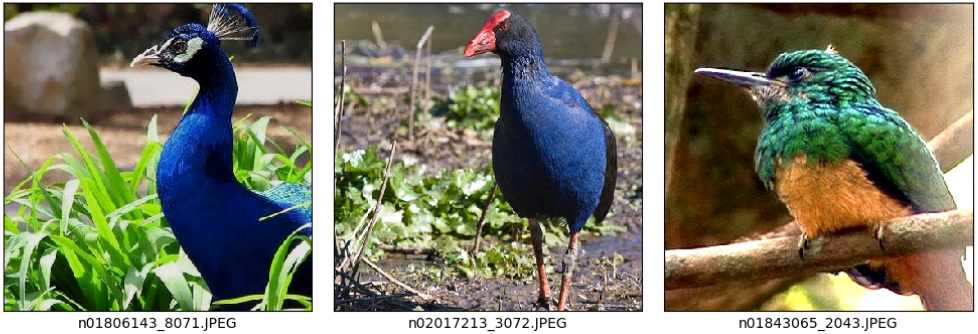
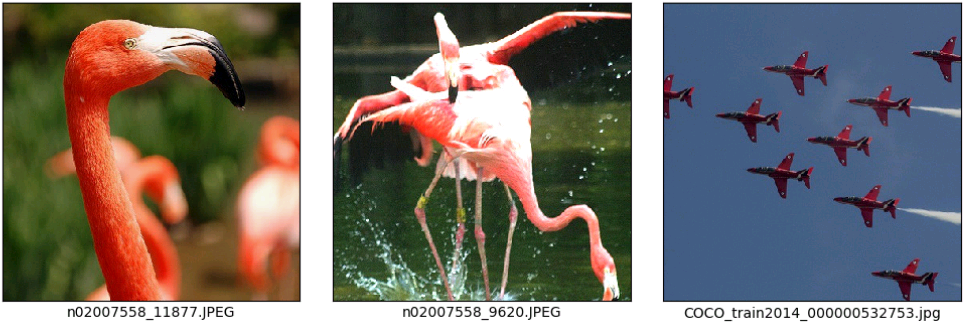
For each unit, it will generate a stimulus file which contains information of the top3 images. Each file’s content and corresponding images are listed as below. The value column saves activation values for each top image.
fc3_chn10_top3.stim.csv: ostrich
type=image
path=path_to_presented_stimuli
data=stimID,label,value
ImageNet/n01518878_5028.JPEG,0,25.264225
COCO/COCO_train2014_000000285307.jpg,0,21.425774
COCO/COCO_train2014_000000372247.jpg,0,19.897854
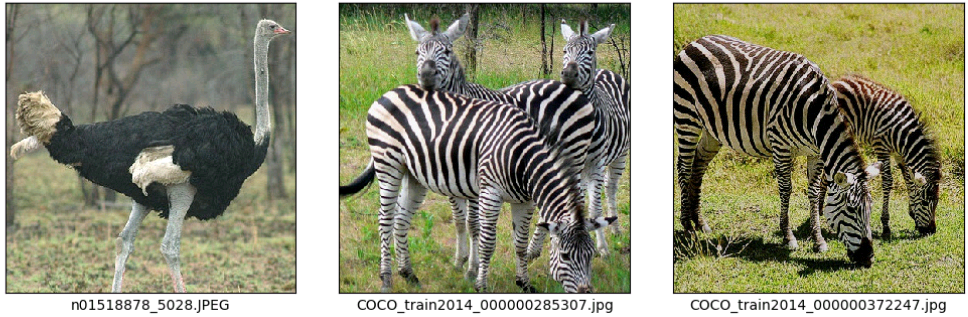
fc3_chn85_top3.stim.csv: peacock
type=image
path=path_to_presented_stimuli
data=stimID,label,value
ImageNet/n01806143_8071.JPEG,0,26.520958
ImageNet/n02017213_3072.JPEG,0,23.622944
ImageNet/n01843065_2043.JPEG,0,23.04847
fc3_chn131_top3.stim.csv: flamingo
type=image
path=path_to_presented_stimuli
data=stimID,label,value
ImageNet/n02007558_11877.JPEG,0,23.366217
ImageNet/n02007558_9620.JPEG,0,21.880175
COCO/COCO_train2014_000000532753.jpg,1,18.621128
Saliency map
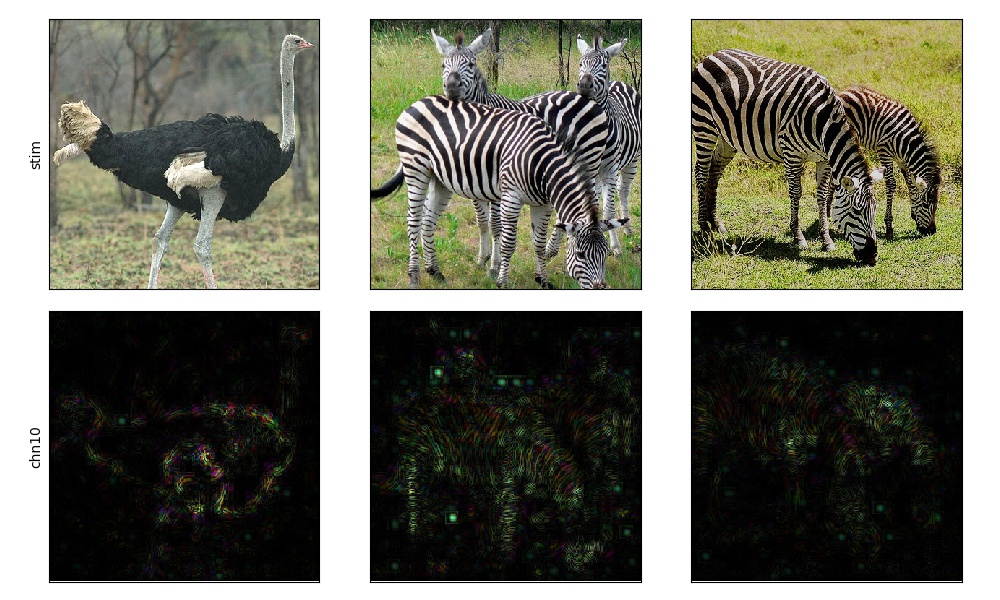
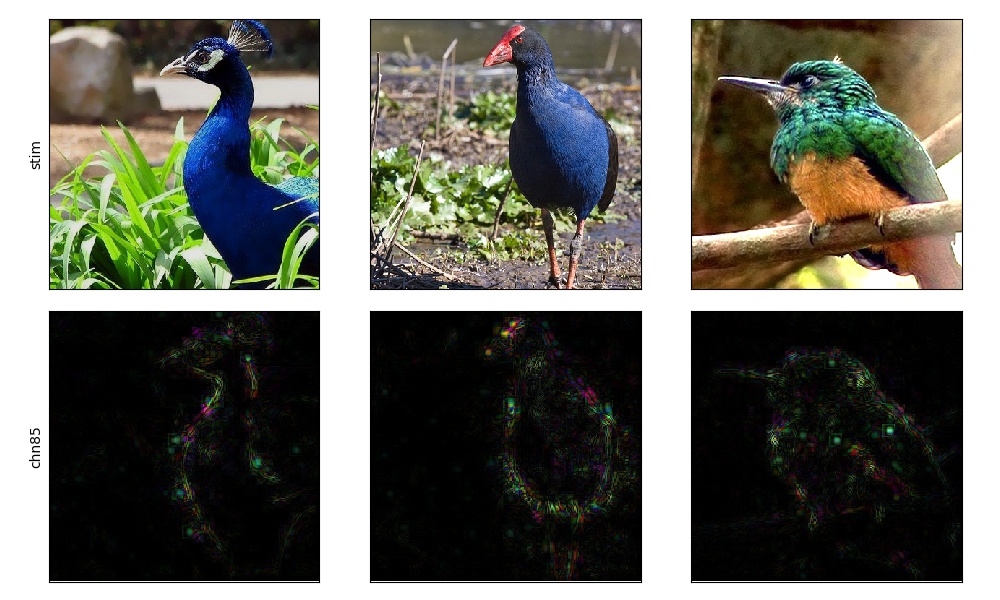
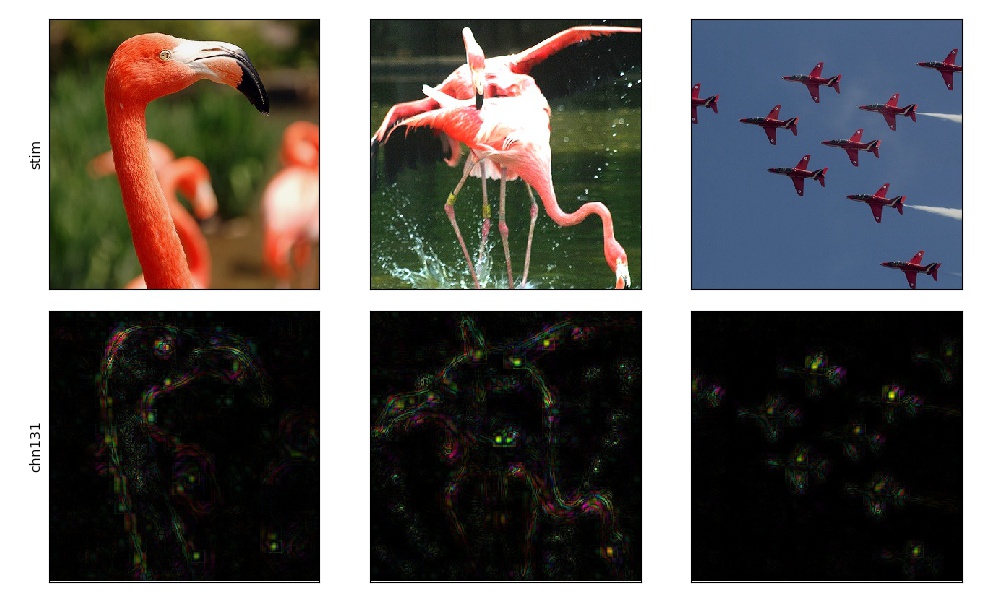
Saliency map is acquired by computing gradients on the input images relative to the target unit by a backpropagation algorithm. It highlights pixels of the image that increase the unit’s activation most when its value changes. Here, we show saliency maps of the top3 images for each three units.
dnn_saliency -net AlexNet -layer fc3 -chn 10 -stim fc3_chn10_top3.stim.csv -meth guided -mode RGB -out .
dnn_saliency -net AlexNet -layer fc3 -chn 85 -stim fc3_chn85_top3.stim.csv -meth guided -mode RGB -out .
dnn_saliency -net AlexNet -layer fc3 -chn 131 -stim fc3_chn131_top3.stim.csv -meth guided -mode RGB -out .
Optimal stimulus
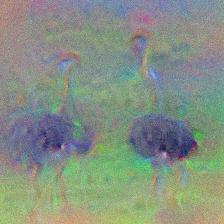
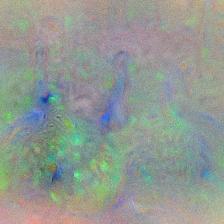
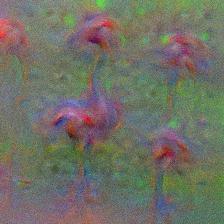
The optimal stimulus is synthesized from scratch guided by increasing activation of the target unit. It offers advantages over the top stimulus and saliency map because it avoids the risks that effective images that could activate the target unit may not exist in the stimulus set.
We get optimal stimulus for each three units using the following codes and show the results at below.
from dnnbrain.dnn.models import AlexNet
from dnnbrain.dnn.algo import SynthesisImage
from dnnbrain.dnn.base import ip

dnn = AlexNet()
synthesis = SynthesisImage(dnn)

# synthesize ostrich stimulus
synthesis.set_layer('fc3', 10)
synthesis.set_loss('mean', 'TV', 0.1)
img_out = synthesis.synthesize(lr=1.0, n_iter=500)
img_out = ip.to_pil(img_out, True)
img_out.save('synthesized_ostrich.jpg')

# synthesize peacock stimulus
synthesis.set_layer('fc3', 85)
synthesis.set_loss('mean', 'TV', 0.05)
img_out = synthesis.synthesize(lr=2.5, n_iter=500)
img_out = ip.to_pil(img_out, True)
img_out.save('synthesized_peacock.jpg')

# synthesize flamingo stimulus
synthesis.set_layer('fc3', 131)
synthesis.set_loss('mean', 'TV', 0.1)
img_out = synthesis.synthesize(lr=1.0, n_iter=500)
img_out = ip.to_pil(img_out, True)
img_out.save('synthesized_flamingo.jpg')
|
|
|
synthesized_ostrich |
synthesized_peacock |
synthesized_flamingo |